


Updated:
Oct 31
2026
.avif)
.avif)


.svg)

Quick Summary: Localization outsourcing means using external providers, such as language service providers (LSPs), freelance linguists, machine translation with human post-editing, or dedicated bilingual teammates, to adapt your product, website, marketing, documentation, and support content for other languages and markets. CSA Research's "Can't Read, Won't Buy" survey of more than 8,700 consumers in 29 countries found that 76% prefer to buy products with information in their own language, and 40% will never buy from websites in other languages. This guide explains what localization outsourcing includes, why companies use it, what it costs, how provider types compare, where machine translation fits, and how to choose a partner.
Localization usually starts informally. A bilingual colleague translates the homepage, a freelancer handles a brochure, and product strings get copied into spreadsheets before every release. That approach survives one language. By the third, terminology drifts, releases wait on translations, and nobody knows which version of a page is current.
Outsourcing brings in linguistic expertise, tools, and process. The trick is matching the right kind of help to each type of content, and that's what this guide covers.
Localization outsourcing is the delegation of language and cultural adaptation work to external providers. It goes beyond translation: localization adapts terminology, tone, formats, imagery, and examples so content feels native to each market. Internationalization, the engineering work that makes a product ready to be localized, is usually done by your own developers.
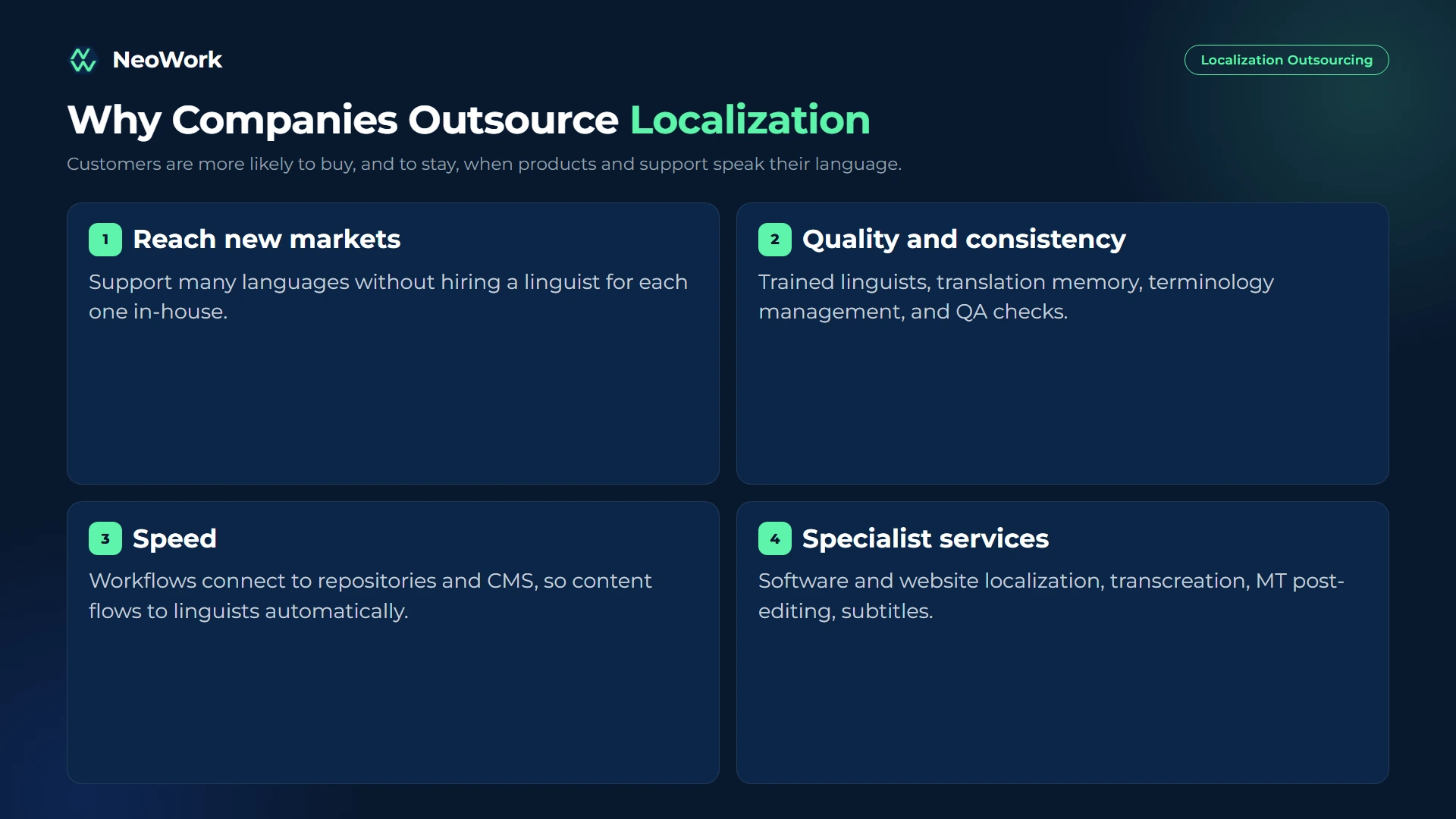
The obvious reason is reach. Customers are more likely to buy, and to stay, when products and support speak their language. Outsourcing makes it practical to support many languages without hiring a linguist for each one in-house.
Quality and consistency come next. Professional providers bring trained linguists, translation memory, terminology management, and quality checks that prevent the drift informal translation creates. Speed matters too: modern workflows connect directly to repositories and content systems, so new content flows to linguists automatically and comes back ready to publish.

Localization outsourcing helps companies support new markets without building full language teams in-house. At NeoWork, we provide dedicated bilingual teammates who support localization review, adapt content for Spanish-speaking markets, maintain multilingual help center articles, and deliver multilingual customer support, following your style guides and terminology. We handle recruitment, benefits, training, and ongoing engagement. Our industry-leading 91% annualized teammate retention rate and 3.2% candidate selectivity rate reflect our focus on selective hiring and long-term team stability.
Our multilingual support model offers:
Contact NeoWork to add multilingual capacity that fits your workflow.
Rare language pairs and specialized content such as legal or medical cost more. Our pricing page shows how dedicated roles are structured.
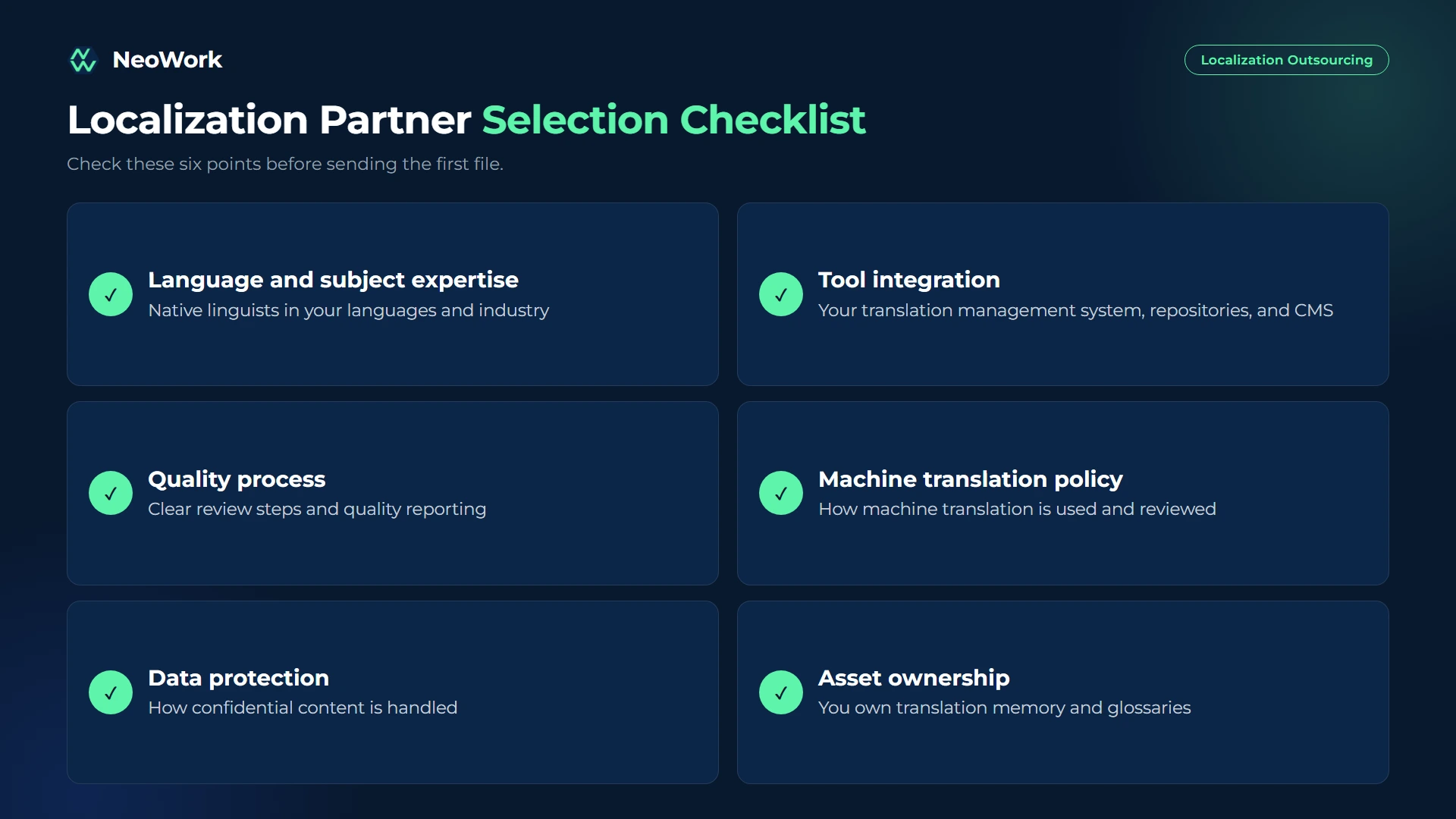
Machine translation has improved dramatically and is now a sensible first step for high-volume, informational content such as knowledge base articles, product descriptions, and internal documents, especially with human post-editing and a good glossary.
It's a poor fit where tone, persuasion, or liability matter. Marketing campaigns, brand messaging, and legal or medical content still need skilled human linguists. Before sending content to any machine translation service, check how it handles confidentiality and whether your data may be retained.
A glossary and style guide are the cheapest quality tools in localization. They keep terminology and tone consistent no matter how many linguists work on your content. A useful version includes:
Quality in localization is more than the absence of typos. The most useful programs track a mix of linguistic and business signals: errors found in sampled reviews, correct use of glossary terms, turnaround time from source change to published translation, and how much content is available in each language.
Business metrics close the loop. Compare conversion, retention, and support ticket volume across markets before and after localization. If a localized market still underperforms, in-market feedback from local customers, sales, and support teams usually reveals whether the issue is language quality, cultural fit, or something outside localization entirely.
Once you support more than a couple of languages or update content often, a translation management system becomes essential. It connects to your repositories, CMS, and design tools, sends new content to linguists automatically, stores translation memory and glossaries, and returns translations ready to publish. When choosing one, check integrations with your stack, support for in-context review, machine translation options, and how easily you can export your linguistic assets.
Not all content needs the same process. Matching the approach to the content type keeps quality high where it matters and costs reasonable elsewhere:
Even the best linguists benefit from feedback from people who use the product in the target market every day. Local sales teams, support agents, partners, or a few trusted customers can point out terms that sound unnatural, examples that don't fit local culture, or features described in ways competitors don't use.
Keep the loop simple. Collect feedback in one shared place, route it to the linguist or provider responsible, and update the glossary when a term changes. Review the feedback monthly to spot patterns. Over time, this loop turns localization from a one-off translation project into an ongoing improvement process that keeps each market's experience as polished as the original.
Localization outsourcing works best as a system, not a series of one-off translation jobs. Get the product ready, match providers to content types, use machine translation where it fits, and protect your glossaries and translation memory.
Start with your highest-value markets and content, measure the impact on conversion and support, and expand from there.

Quick Summary: Localization outsourcing means using external providers, such as language service providers (LSPs), freelance linguists, machine translation with human post-editing, or dedicated bilingual teammates, to adapt your product, website, marketing, documentation, and support content for other languages and markets. CSA Research's "Can't Read, Won't Buy" survey of more than 8,700 consumers in 29 countries found that 76% prefer to buy products with information in their own language, and 40% will never buy from websites in other languages. This guide explains what localization outsourcing includes, why companies use it, what it costs, how provider types compare, where machine translation fits, and how to choose a partner.
Localization usually starts informally. A bilingual colleague translates the homepage, a freelancer handles a brochure, and product strings get copied into spreadsheets before every release. That approach survives one language. By the third, terminology drifts, releases wait on translations, and nobody knows which version of a page is current.
Outsourcing brings in linguistic expertise, tools, and process. The trick is matching the right kind of help to each type of content, and that's what this guide covers.
Localization outsourcing is the delegation of language and cultural adaptation work to external providers. It goes beyond translation: localization adapts terminology, tone, formats, imagery, and examples so content feels native to each market. Internationalization, the engineering work that makes a product ready to be localized, is usually done by your own developers.
The obvious reason is reach. Customers are more likely to buy, and to stay, when products and support speak their language. Outsourcing makes it practical to support many languages without hiring a linguist for each one in-house.
Quality and consistency come next. Professional providers bring trained linguists, translation memory, terminology management, and quality checks that prevent the drift informal translation creates. Speed matters too: modern workflows connect directly to repositories and content systems, so new content flows to linguists automatically and comes back ready to publish.
Localization outsourcing helps companies support new markets without building full language teams in-house. At NeoWork, we provide dedicated bilingual teammates who support localization review, adapt content for Spanish-speaking markets, maintain multilingual help center articles, and deliver multilingual customer support, following your style guides and terminology. We handle recruitment, benefits, training, and ongoing engagement. Our industry-leading 91% annualized teammate retention rate and 3.2% candidate selectivity rate reflect our focus on selective hiring and long-term team stability.
Our multilingual support model offers:
Contact NeoWork to add multilingual capacity that fits your workflow.
Rare language pairs and specialized content such as legal or medical cost more. Our pricing page shows how dedicated roles are structured.
Machine translation has improved dramatically and is now a sensible first step for high-volume, informational content such as knowledge base articles, product descriptions, and internal documents, especially with human post-editing and a good glossary.
It's a poor fit where tone, persuasion, or liability matter. Marketing campaigns, brand messaging, and legal or medical content still need skilled human linguists. Before sending content to any machine translation service, check how it handles confidentiality and whether your data may be retained.
A glossary and style guide are the cheapest quality tools in localization. They keep terminology and tone consistent no matter how many linguists work on your content. A useful version includes:
Quality in localization is more than the absence of typos. The most useful programs track a mix of linguistic and business signals: errors found in sampled reviews, correct use of glossary terms, turnaround time from source change to published translation, and how much content is available in each language.
Business metrics close the loop. Compare conversion, retention, and support ticket volume across markets before and after localization. If a localized market still underperforms, in-market feedback from local customers, sales, and support teams usually reveals whether the issue is language quality, cultural fit, or something outside localization entirely.
Once you support more than a couple of languages or update content often, a translation management system becomes essential. It connects to your repositories, CMS, and design tools, sends new content to linguists automatically, stores translation memory and glossaries, and returns translations ready to publish. When choosing one, check integrations with your stack, support for in-context review, machine translation options, and how easily you can export your linguistic assets.
Not all content needs the same process. Matching the approach to the content type keeps quality high where it matters and costs reasonable elsewhere:
Even the best linguists benefit from feedback from people who use the product in the target market every day. Local sales teams, support agents, partners, or a few trusted customers can point out terms that sound unnatural, examples that don't fit local culture, or features described in ways competitors don't use.
Keep the loop simple. Collect feedback in one shared place, route it to the linguist or provider responsible, and update the glossary when a term changes. Review the feedback monthly to spot patterns. Over time, this loop turns localization from a one-off translation project into an ongoing improvement process that keeps each market's experience as polished as the original.
Localization outsourcing works best as a system, not a series of one-off translation jobs. Get the product ready, match providers to content types, use machine translation where it fits, and protect your glossaries and translation memory.
Start with your highest-value markets and content, measure the impact on conversion and support, and expand from there.


.webp)




.webp)
.webp)


